Send an order PDF by email, get a fully structured Sales Order in your ERP — customer record, line items, and all. The AI reads the PDF, extracts the relevant data, creates missing customer records automatically, and posts the finished order. The sender receives a confirmation email within seconds — or a clear explanation if something needs fixing.
Business Impact
Challenge
Customer orders arrived as PDFs by email - and every one of them had to be read, typed into the ERP, and checked by hand. A slow, repetitive task that tied up the sales back-office and left room for costly mistakes.
Solution
A multi-agent app built on Operaide reads incoming order emails, extracts the details, and prepares a sales order in the ERP — creating new customer records when needed. A back-office employee then reviews the pre-filled order and submits it with a single click — keeping a human in the loop for every order.
Outcome
Sales orders get created automatically in the ERP within seconds, without manual typing. Fewer errors, no duplicate data. Sales back-office can focus on customers, not data entry.
What It Does
Email-Triggered Processing — Incoming emails with PDF attachments are processed automatically. No manual upload needed — just forward or send to the configured address.
Automatic Data Extraction — The AI reads the PDF and extracts customer details, billing address, line items with quantities and prices, order IDs, and delivery dates — all into a structured format ready for your ERP.
Smart Customer Management — Before creating a Sales Order, the system checks whether the customer already exists in the ERP. If not, it creates the customer record and billing address first — preventing duplicates automatically.
Sales Order Creation — The extracted data is posted as a Sales Order directly into your ERP, fully structured and ready to process.
Instant Confirmation — The sender receives a reply email within seconds — either a success confirmation with a direct link to the Sales Order, or a clear explanation of what needs fixing.
How It Works
Mail Reaktor Registration — Uses registerMailReaktorDefinition to expose a /mail endpoint. Incoming emails are parsed automatically into sender, recipient, subject, message ID, and file attachments.
Document Conversion Pipeline — Email attachments are filtered for PDFs, converted to base64, then processed through aktorConvertPDFToMarkdown from @operaide/document. The resulting markdown is passed to the LLM for extraction.
Example-Driven LLM Extraction — The extraction prompt includes a complete example JSON structure with annotated fields (e.g., "state: always in English", "delivery_date: must be future date"). The LLM follows this template to produce consistently structured output, cleaned by helper aktors that strip markdown code fences and parse JSON.
Conditional Logic with aktorIfElse — Customer existence is checked via a GET request to the ERP API. aktorIfElse branches the flow: if the customer doesn't exist, it creates the customer and address records before proceeding. If the customer exists, it skips straight to Sales Order creation.
Connection Management — ERP credentials are managed through registerConnectionType, defining an erpnext connection type with API key and base URL. At runtime, aktorGetApiBaseUrl and aktorGetApiKey retrieve the configured values — keeping secrets out of code.
Composable REST Chain — Each ERP API call is built from atomic aktors: aktorCompleteUrl for URL templating, aktorHeaderFormatted for auth headers, aktorFormatErpEntry for payload transformation, and aktorAxiosRequest for the HTTP call. The same building blocks are reused across customer, address, and order creation.
Reaktor Architecture
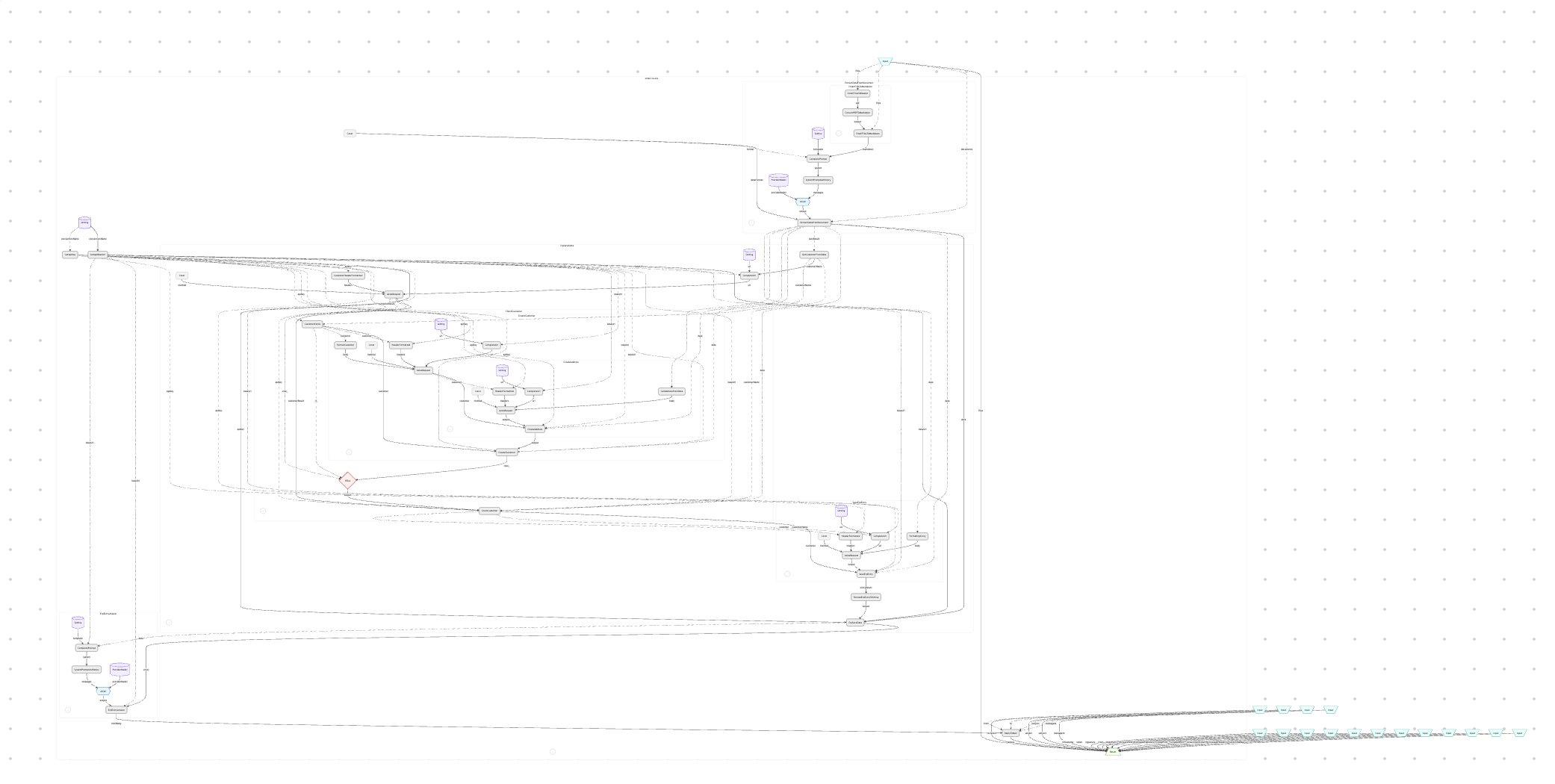
The Email-to-ERP Reaktor follows a linear-with-branching pattern. An incoming email enters aktorEmailFilesToMarkdown, which filters for PDF attachments and converts them to text. The markdown flows into aktorExtractDataFromDocument, where an LLM extracts structured JSON guided by an example template. From here, the flow branches: aktorCheckCustomer queries the ERP to see if the customer exists, and aktorIfElse routes to either customer+address creation or directly to aktorSaveErpEntry for the Sales Order POST. The ERP response is then passed to aktorErpEntryAnswer, where another LLM generates a user-friendly confirmation or error explanation. Finally, aktorReplyToMail sends the response back to the original sender, maintaining the email thread via message ID.
Fully expanded ERP Reaktor Architecture
Why Operaide
Ready to Ship AI
That Works?
See how Operaide helps teams ship reliable AI applications faster. From prototype to production—with complete control and European sovereignty.