Record a meeting, click a button, get a structured CRM report posted to your ERP — fully automated. The AI transcribes the recording, extracts a summary, action items, and key dates, and posts a finished report directly to your ERP. Unstructured audio becomes structured, actionable business data — from meeting room to CRM without manual data entry.
Business Impact
Challenge
After every customer meeting, sales reps spend 30-60 minutes writing up notes, extracting action items, and manually entering data into the CRM
Solution
A single audio recording triggers automated transcription, AI-powered extraction of summaries, TODOs, and dates, and direct ERP integration
Outcome
Meeting follow-up goes from an hour of manual work to a single audio recording; reports land in the CRM within seconds
What It Does
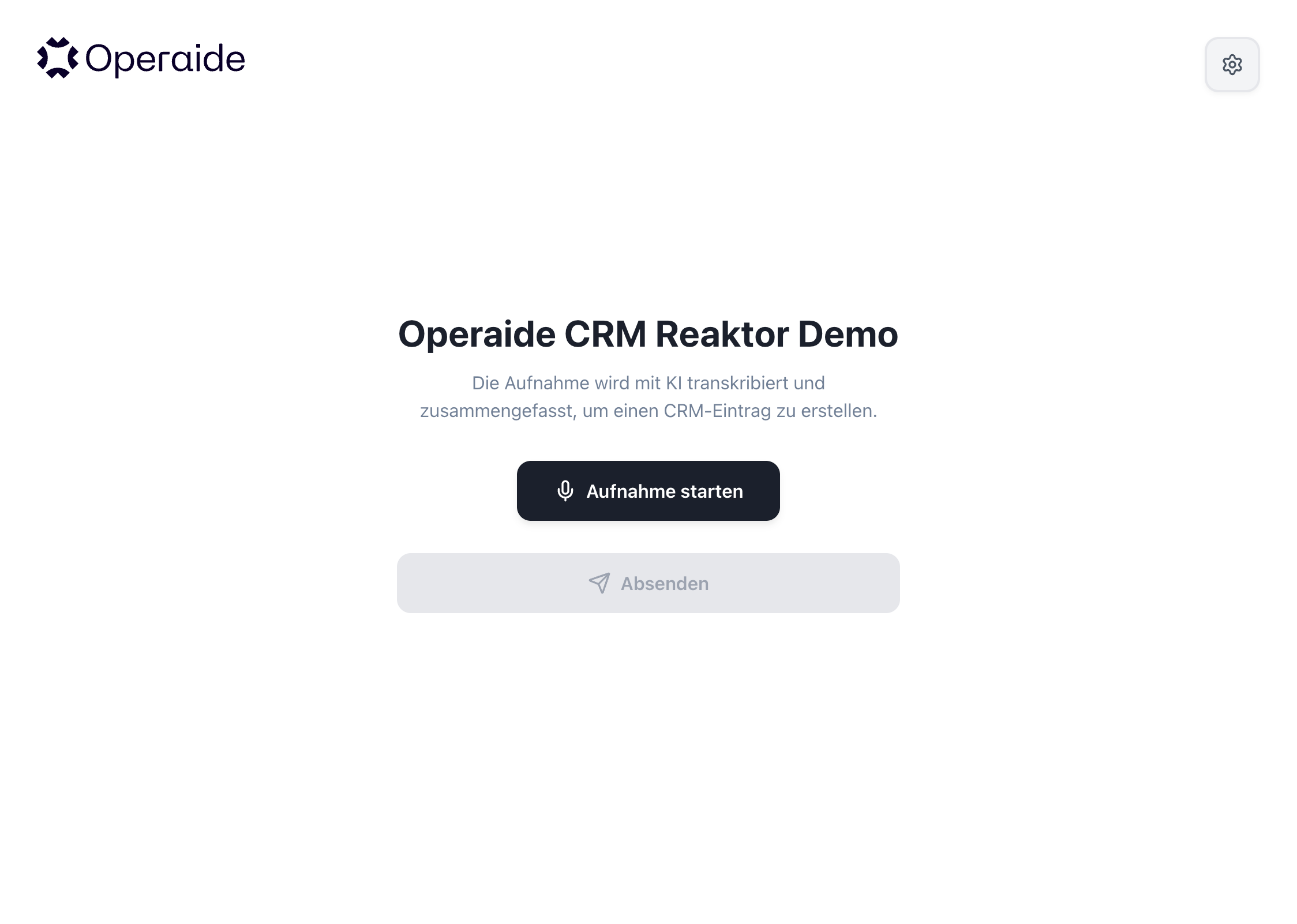
Record in the Browser — A built-in interface lets users record meeting audio and submit it with one click. No extra apps, no file juggling.
Automatic Transcription — The recording is transcribed instantly. Supports common audio formats like MP3, WAV, and M4A.
AI-Powered Extraction — The AI extracts a structured meeting summary, action items with checkboxes, an email subject, and key dates — all in parallel, within seconds.
Ready-Made CRM Report — Everything is assembled into a formatted report and posted directly to your ERP. The user receives a direct link to the created entry.
Instant Confirmation — The user gets a clear confirmation that the report was saved — or a plain-language explanation if something went wrong.
Operaide AI App Custom UI
How It Works
Orchestration with defineAktor — The main aktorCreateCRMReport uses defineAktor to compose a subgraph: transcription feeds into five parallel extraction branches, which converge into a report assembly step. The framework handles execution order automatically.
Configurable Prompt Templates — Every LLM call uses aktorCompletePrompt with {{variable}} placeholders. All prompts are exposed as aktorSetting values, allowing non-developers to customize extraction behavior, output structure, and language through the Operaide UI.
Robust Output Parsing — Helper aktors clean up AI-generated output before use: stripping markdown code fences from JSON, handling multiple checkbox formats (with and without dashes), and falling back to sentence-level splitting if the AI ignores formatting instructions.
Typed REST Integration — The ERP call is composed from atomic aktors: aktorCompleteUrl for URL templating, aktorHeaderFormatted for auth headers, aktorAxiosPost for the HTTP call, and aktorResponseUrl for extracting the report link from the response. Each step is independently testable.
Integrated Custom UI — Operaide Reaktor apps can ship their own web UIs in a public/ directory, served directly by the platform. The recording interface calls the Reaktor's REST endpoint with authentication handled via the platform — no separate frontend infrastructure required.
File Upload via UI Schema Tags — The [file-upload] tag in the input schema's .describe() tells the Operaide UI to render a file upload component instead of a text field. The uploaded file is automatically converted to a base64 data URL.
Date-Aware Prompting — The summary and TODO prompts inject the current date via aktorGetDate, instructing the LLM to convert relative time references ("next month", "in two weeks") into concrete calendar dates.
Reaktor Architecture
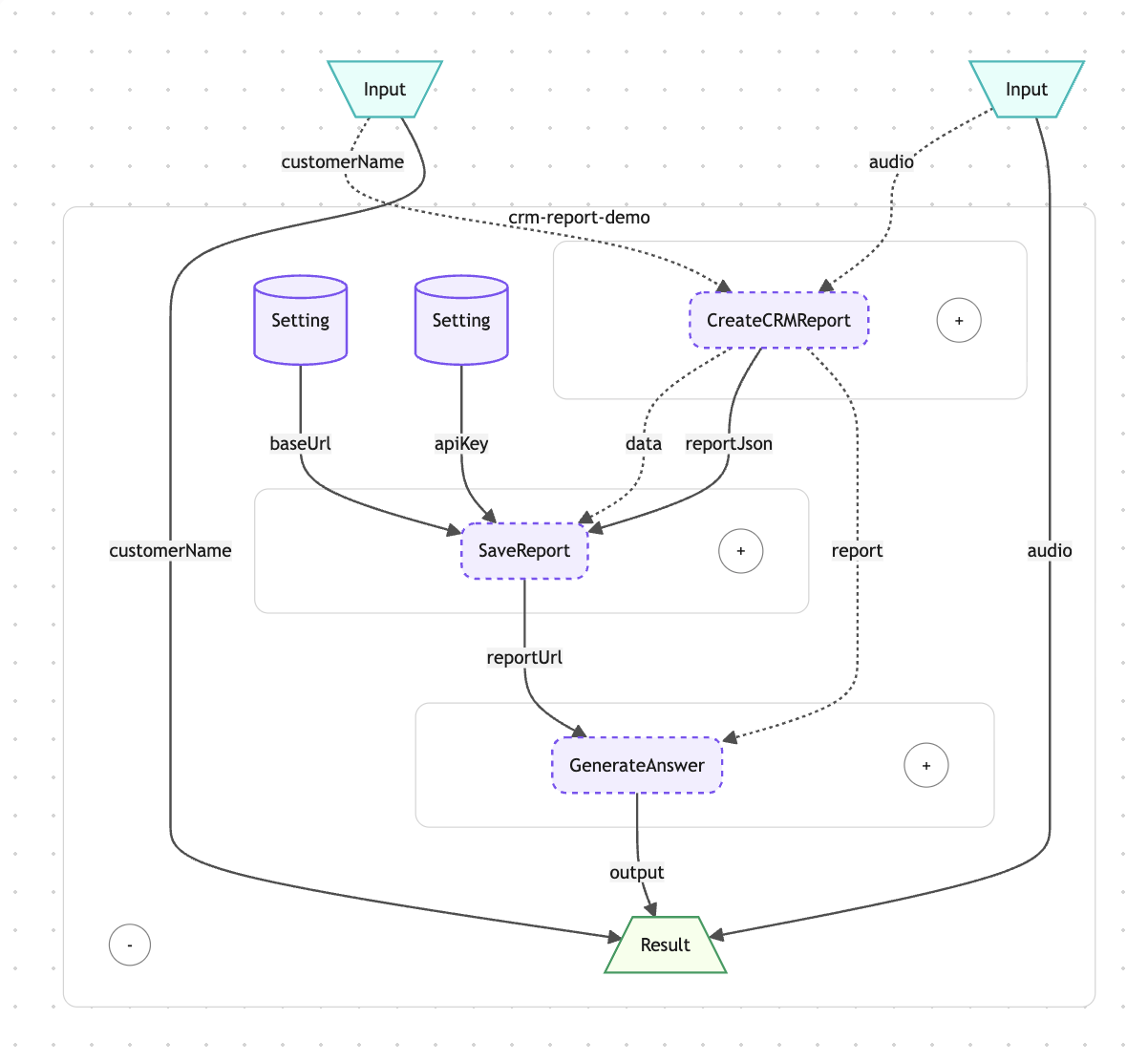
The CRM Report Reaktor follows a funnel pattern: one wide input (raw audio) progressively narrows into structured, validated output (ERP entry). The audio enters aktorSpeechToText, producing a transcript that fans out into five parallel LLM branches — summary, TODOs, subject, start date, and end date. These branches have no mutual dependencies, so the framework executes them simultaneously. Once all five resolve, aktorCreateReport assembles them into a single JSON payload, formatting text into ERP-compatible HTML along the way. The payload then flows through the REST integration chain — URL construction, header formatting, HTTP POST, and response parsing — before a final LLM call generates the user-facing confirmation message with the report link.
CRM Reaktor Level 1 Architecture
Why Operaide
Ready to Ship AI
That Works?
See how Operaide helps teams ship reliable AI applications faster. From prototype to production—with complete control and European sovereignty.